AI-Powered Travel Management Platform
An AI-powered travel workspace that keeps itineraries, bookings, tickets, and documents organized around each trip. It helps travellers plan day by day, find the right information quickly, and get context-aware assistance from their own travel data.
- Next.js
- React
- TypeScript
- NestJS
- REST APIs
- PostgreSQL
- Drizzle ORM
- Docker
- RAG & Skills
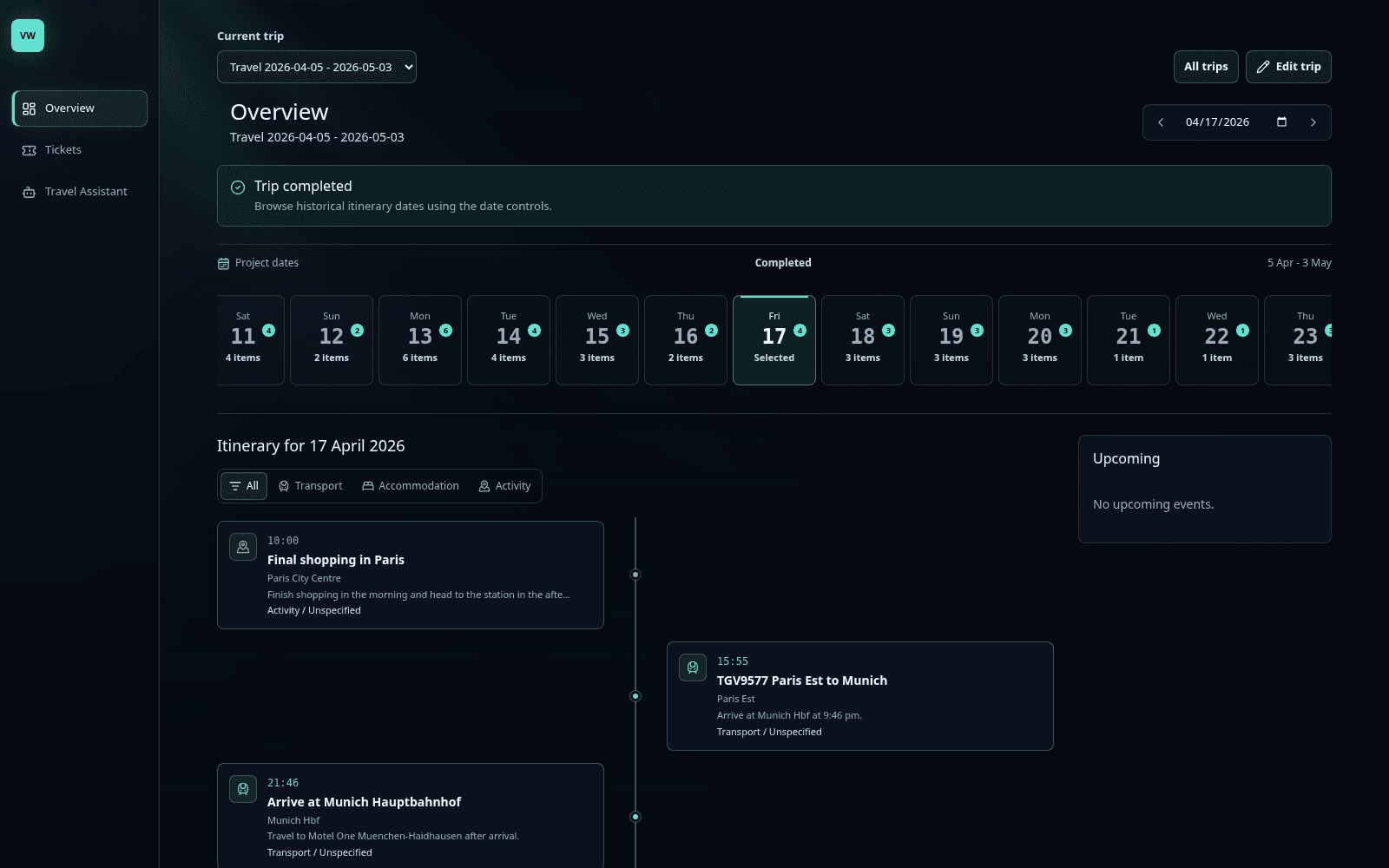
Product overview
One platform connects trip planning, secure document access, multilingual workflows, and contextual AI across the complete travel lifecycle.
The system separates the user experience, API and identity layer, data and file services, AI orchestration, and production delivery into clear full-stack boundaries.
Experience
A responsive, multilingual interface for planning trips, managing bookings, reviewing documents, and working with contextual assistance.
- Next.js App Router
- React
- TypeScript
- Tailwind CSS
- Motion
- OGL
API & identity
REST services protect project-scoped travel data through authenticated access, authorization rules, validation, and rate limiting.
- NestJS
- REST APIs
- Authentication
- Authorization
- Validation
- Rate limiting
Data & files
Relational trip data and securely uploaded travel documents stay connected to the users, projects, itineraries, and tickets that own them.
- PostgreSQL
- Drizzle ORM
- Object storage
- Secure uploads
- PDF previews
- Image previews
AI orchestration
Retrieval and reusable travel Skills combine itinerary data, ticket metadata, and uploaded documents into grounded, actionable responses.
- RAG
- Embeddings
- pgvector
- Skills
- Tool calling
- Source grounding
Delivery
Containerized services run behind a secured custom domain with automated delivery, managed secrets, and operational monitoring.
- Docker
- CI/CD
- TLS
- Custom domain
- API security
- Logging
- Health monitoring
Core experiences
Plan the trip
Select project dates, move through the interactive date rail, filter itinerary types, and inspect selected itinerary items.
Keep documents close
Search tickets, connect itinerary items to documents, and preview PDF or image attachments without leaving the workspace.
Ask in context
Use RAG, vector retrieval, reusable travel Skills, and structured tool calls to answer questions from itinerary, ticket, and uploaded-document context.